
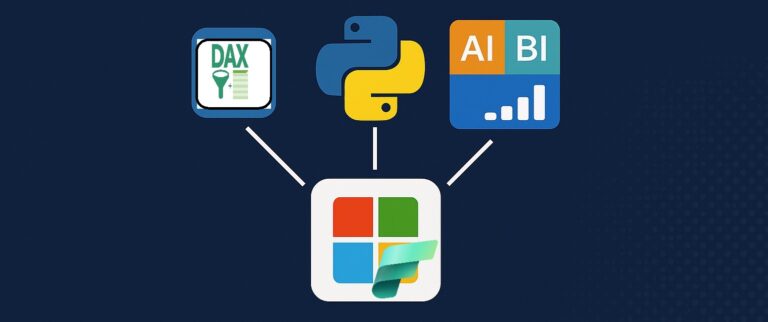
For years, data scientists and BI teams have been living in parallel universes.
Data scientists build models in notebooks, BI teams create dashboards in Power BI – and the two rarely speak the same language. Business logic gets duplicated, metrics don’t match, and everyone wastes time reconciling numbers.
Semantic Link changes that. And as of February 2026, it’s officially Generally Available in Microsoft Fabric.
What Exactly is Semantic Link?
Semantic Link is a Python library (sempy) that lets you access Power BI semantic models directly from Fabric notebooks. But it’s much more than just „read data from Power BI” – it preserves the business logic, relationships, and measures defined in your semantic models.
Think of it as a translator that speaks both „data science” and „business intelligence” fluently.
The Architecture: How It All Connects
Here’s how Semantic Link fits into the Fabric ecosystem:
Layer 1: Data Storage
- Lakehouse (Delta tables)
- Warehouse (SQL)
- Eventhouse (KQL)
Layer 2: Semantic Layer
- Semantic Model (Power BI Dataset) containing:
- Measures
- Relationships
- Hierarchies
- Business Logic
Layer 3: Semantic Link Bridge
- Python library (sempy)
- Connects Layer 2 to all consumers
Layer 4: Consumers
- Notebooks (PySpark, Python)
- ML Models (training & inference)
- Power BI Reports (dashboards)
Key insight: The semantic model becomes the single source of truth. Everyone – data scientists, analysts, report builders – works with the same definitions.
The Problem It Solves
Let’s paint a familiar picture.
Without Semantic Link – three teams, three definitions:
- BI Team calculates Revenue as:
- SUM(Sales) minus Returns
- Result: $1.2M
- Data Science Team calculates Revenue as:
- SUM(Amount) WHERE status = 'completed’
- Result: $1.35M
- Finance Team calculates Revenue as:
- SUM(Invoiced) minus Adjustments
- Result: $1.18M
Three different numbers for the same metric!
With Semantic Link – one definition, one truth:
- Semantic Model defines Revenue once:
- Revenue = SUMX(Sales, [Amount] – [Returns])
- Single definition, governed, versioned
- All teams consume via Semantic Link:
- BI Team → $1.2M ✓
- Data Science Team → $1.2M ✓
- Finance Team → $1.2M ✓
✅ One metric, one definition, one number everywhere.
What Can You Actually Do With It?
Semantic Link unlocks several powerful workflows:
1. Data Scientists: Use Power BI Measures in Notebooks
No more rewriting DAX logic in Python. Just call the measure directly:
import sempy.fabric as fabric

# Connect to existing semantic model
df = fabric.read_table("Sales_Model", "FactSales")

# Add a Power BI measure to your DataFrame
df = fabric.evaluate_measure(
    "Sales_Model",
    measure="Total Revenue",
    group_by_columns=["Region", "Product Category"]
)

# Now use it for ML, predictions, whatever you need
df.head()
2. BI Engineers: Automate Semantic Model Management
Clone reports, rebind datasets, manage translations – all programmatically:
import sempy.fabric as fabric
from sempy_labs import report_rebind

# Rebind a report to a new semantic model (e.g., dev → prod)
report_rebind(
    report="Sales Dashboard",
    dataset="Sales_Model_Prod"
)

# Clone and deploy across workspaces
fabric.clone_report(
    source_report="Monthly Report",
    target_workspace="Production"
)
3. Data Engineers: Optimize Lakehouse Tables
Analyze table stats and optimize storage automatically:
from sempy_labs.lakehouse import get_lakehouse_tables, optimize_tables

# Get statistics for all tables
stats = get_lakehouse_tables("my_lakehouse")

# Find tables that need optimization
fragmented = stats[stats['fragmentation'] > 0.3]

# Optimize them
for table in fragmented['table_name']:
    optimize_tables("my_lakehouse", table)
4. Admins: Audit and Govern at Scale
Track lineage, refresh status, and capacity usage:
from sempy_labs.admin import list_datasets, get_refresh_history

# List all semantic models in tenant
all_models = list_datasets()

# Find models with failed refreshes
for model in all_models:
    history = get_refresh_history(model['id'])
    if history['status'].iloc[0] == 'Failed':
        print(f"⚠️ {model['name']} refresh failed!")
The Data Flow: End-to-End Example
Here’s how a typical ML project flows with Semantic Link:
Step 1: Data lands in Lakehouse
- Bronze Layer:
- Raw transactions from ERP
- Format: Parquet files
- No transformations
- Silver Layer:
- Cleaned and deduplicated
- Format: Delta tables
- Basic quality checks applied
- Gold Layer:
- Business-ready aggregations
- Format: Dimensional model
- Ready for analytics
Step 2: Semantic Model defines business logic
- Power BI Semantic Model contains:
Revenue = SUMX(...)Churn Rate = DIVIDE(...)Customer Lifetime Value = ...- All relationships and hierarchies
Step 3: Semantic Link brings it to notebooks
- Fabric Notebook workflow:
- Get data WITH business measures already calculated
- Train prediction model using consistent metrics
- Generate predictions
- Write results back to Lakehouse
Step 4: Results flow back to Power BI
- Power BI Dashboard displays:
- Actual Churn Rate (from semantic model)
- Predicted Churn (from ML model)
- At-Risk Customers (combined view)
- All metrics consistent and governed
Why This Matters
Semantic Link isn’t just a convenience feature – it’s a paradigm shift in how data teams collaborate:
- For data scientists: No more reinventing business logic. Use the same measures that power executive dashboards.
- For BI teams: Your work becomes a platform, not a silo. Data scientists extend your models instead of replacing them.
- For data engineers: Automate everything. Table optimization, model management, governance – all scriptable.
- For the business: One number, everywhere. Finally.
📚 Resources:
- Official docs: https://learn.microsoft.com/en-us/fabric/data-science/semantic-link-overview
- Semantic Link Labs (community extensions): https://github.com/microsoft/semantic-link-labs
What’s New in GA (February 2026)
The GA release brings several important upgrades:
- Service Principal Support – Run notebooks without user credentials, perfect for scheduled pipelines
- Spark Runtime 2.0 – Better performance, tighter integration
- SPN-based automation – Full admin API access via service principals
- Report cloning & rebinding – Automate deployment across dev/test/prod
- Semantic model translation – Multi-language support for global organizations
- Lakehouse optimization – Built-in table maintenance functions