

Pipeline expressions in Microsoft Fabric are powerful. However, writing them often means digging through docs, debugging syntax errors, and wasting time.
Fortunately, that’s about to change thanks to Copilot.
What’s New?
Microsoft just released a preview feature. It lets you generate and explain pipeline expressions using natural language. As a result, Copilot is now built right into the Pipeline Expression Builder in Data Factory.
For example, instead of writing this:
@concat('ContosoSales\', formatDateTime(convertTimeZone(utcNow(), 'UTC', 'Central Standard Time'), 'yyyy/MM/dd'))You simply describe what you need:
„Get the current UTC time, convert it to Central Standard Time, format it as yyyy/MM/dd, and concatenate it with 'ContosoSales'”
Copilot handles the rest.
Practical Use Case: Dynamic Folder Paths
Scenario: You’re building a pipeline that copies daily sales data to a lakehouse. Each day’s data needs to land in a folder like raw/sales/2025/12/05/.
The old way: Spend 15 minutes looking up formatDateTime syntax, testing in the expression builder, fixing bracket mismatches.
The new way: Simply open the Expression Builder, click Copilot, and type:
„Create a folder path that starts with 'raw/sales/’ followed by the current year, month, and day as separate folder levels”
Done in seconds.
Step-by-Step: How to Use It
Step 1: Open your pipeline in Fabric Data Factory and select any activity that supports expressions (e.g., Copy Data, Set Variable).
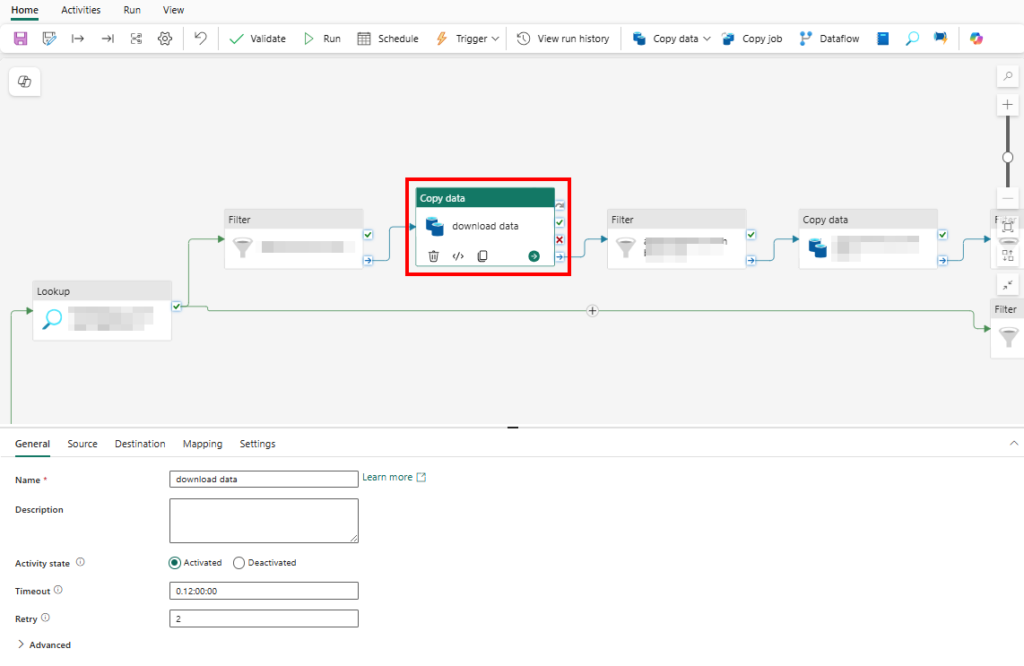
Step 2: Click into a field that accepts dynamic content – you’ll see the Expression Builder option.
Step 3: In the Expression Builder, look for the Copilot icon in the toolbar.
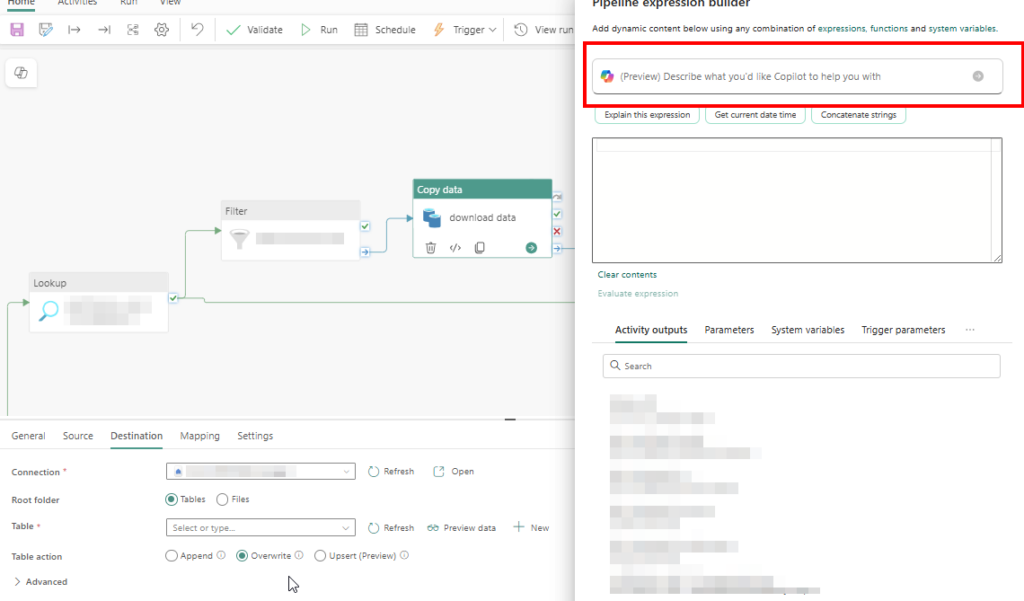
Step 4: Describe your expression in plain language. Be specific about formats, time zones, and concatenation needs.
Step 5: Finally, review the generated expression. You can Accept, Discard, or Retry with a refined prompt.
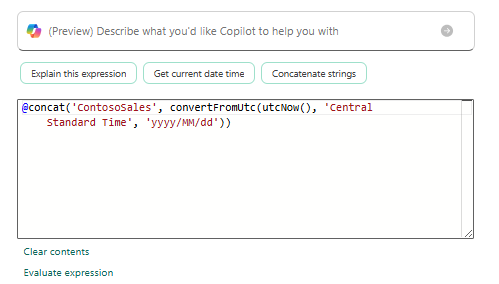
Bonus feature: Additionally, got an existing complex expression you inherited? Ask Copilot to explain it. It will break down the logic in plain English.
Requirements
- Fabric capacity F2 or higher (no more F64 requirement!)
- Copilot enabled by your tenant admin
- Region where Copilot is available (see Fabric region availability)
Learn More
- Official documentation: Copilot Pipeline Expression Builder
- Microsoft announcement blog post
- Copilot in Data Factory overview
Why This Matters
Ultimately, this isn’t just about convenience. It’s about making data engineering easier for everyone. As a result, junior team members can build pipelines without memorizing syntax. Meanwhile, senior engineers save time on routine tasks.