

Let’s be honest – writing the same Spark code to convert JSON to Delta for the hundredth time is nobody’s idea of fun. Good news: Microsoft Fabric’s Shortcut Transformations takes care of that boring stuff for you.
So What’s the Deal?
When you create a shortcut to external storage (Azure Blob, ADLS, S3), Fabric can now auto-magically convert JSON and Parquet files into Delta format. No Spark jobs, no messing with schemas – just point, click, and you’re done.
Here’s what makes this feature a big deal:
- Zero-code transformation – No notebooks, no PySpark, no schema definitions. Fabric handles the heavy lifting while you focus on actually using the data.
- Always in sync – Unlike traditional ETL jobs that run on a schedule, Shortcut Transformations continuously monitor your source. New file lands in blob storage? Give it 2 minutes and it’s already in your Delta table.
- Multiple source support – Works with Azure Data Lake Storage, Azure Blob, Amazon S3, Google Cloud Storage, SharePoint, OneDrive, and even Dataverse. Basically anywhere your raw files might be hiding.
- Automatic schema inference – Fabric reads your JSON or Parquet structure and builds the Delta table schema for you. Nested objects? Flattened automatically up to 5 levels deep.
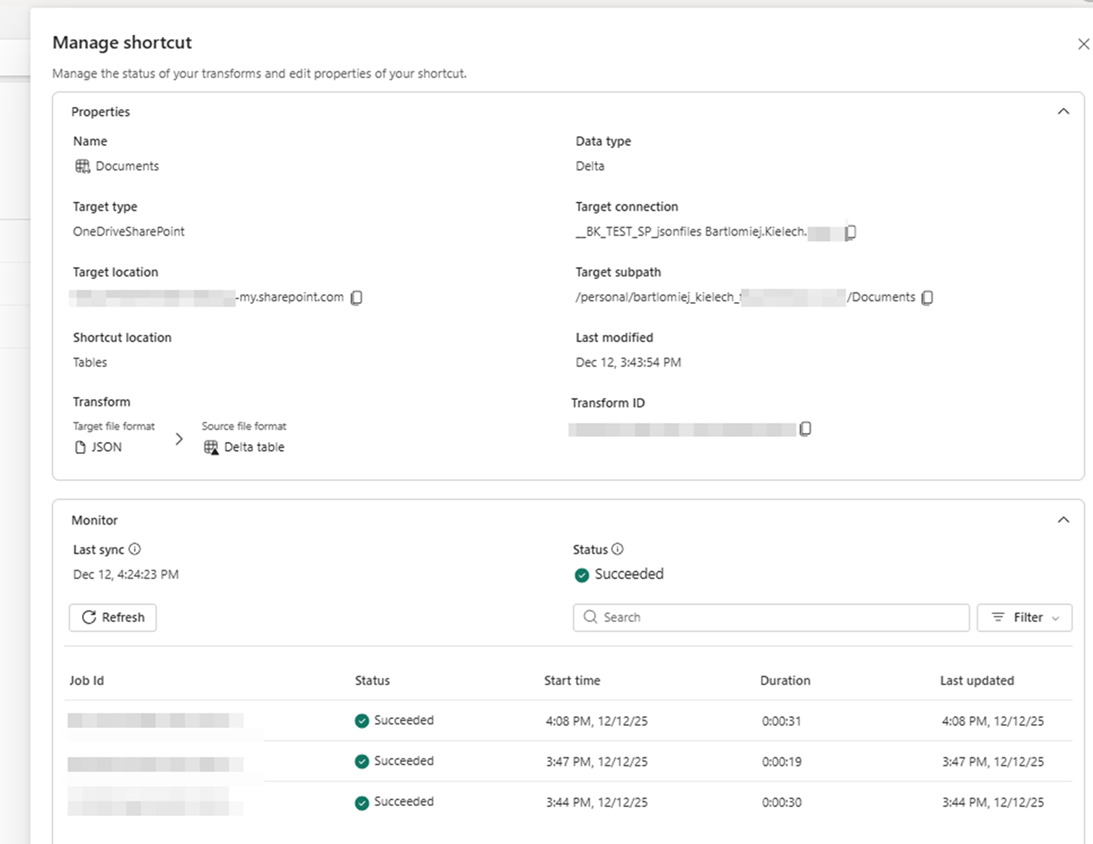
- Built-in monitoring – Track every refresh, see row counts, catch errors early. All visible in the „Manage Shortcut” hub without digging through Spark logs.
- Delta Lake benefits out of the box – ACID transactions, time travel, schema evolution – you get all the good stuff without writing a single line of Delta-specific code.
Think of it as a managed, always-on ingestion layer that just works. Point it at your files once, and Fabric keeps your analytics-ready table fresh.
How to Get It Working
- Open your Lakehouse
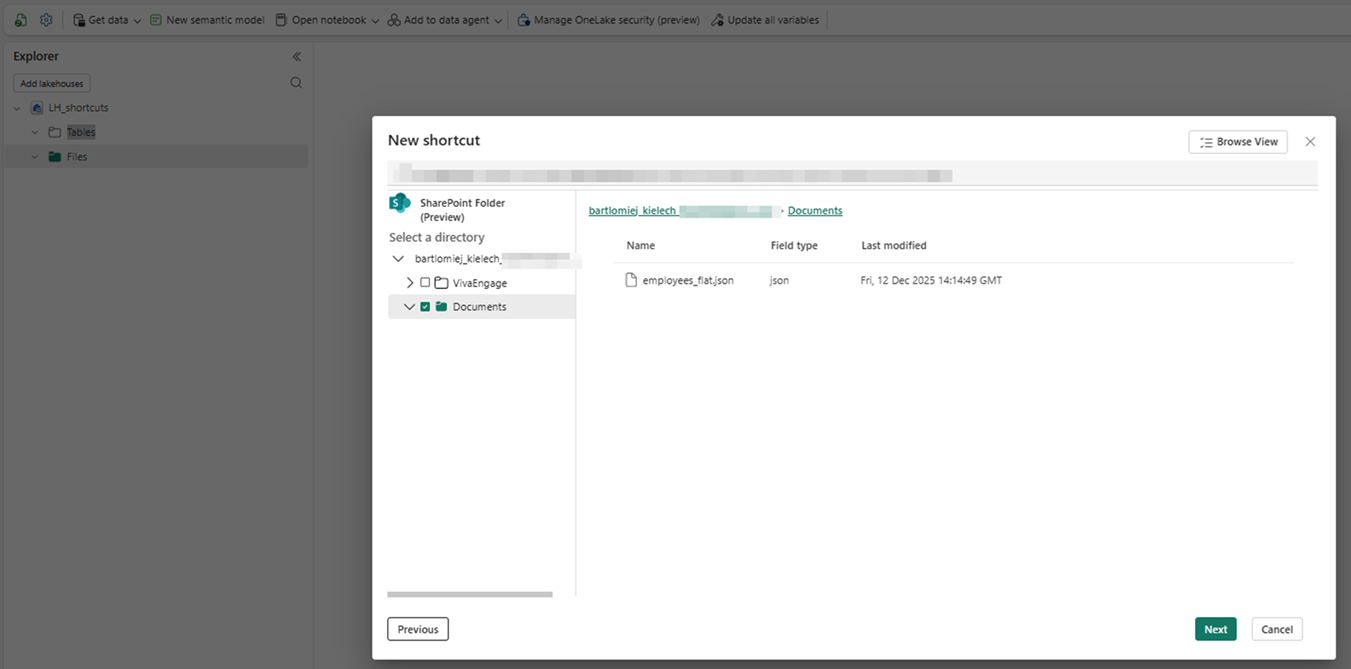
- Create a new Shortcut to your external storage. In my case there is one json file in my SharePoint Documents folder.
- Flip on the „Transform to Delta” option
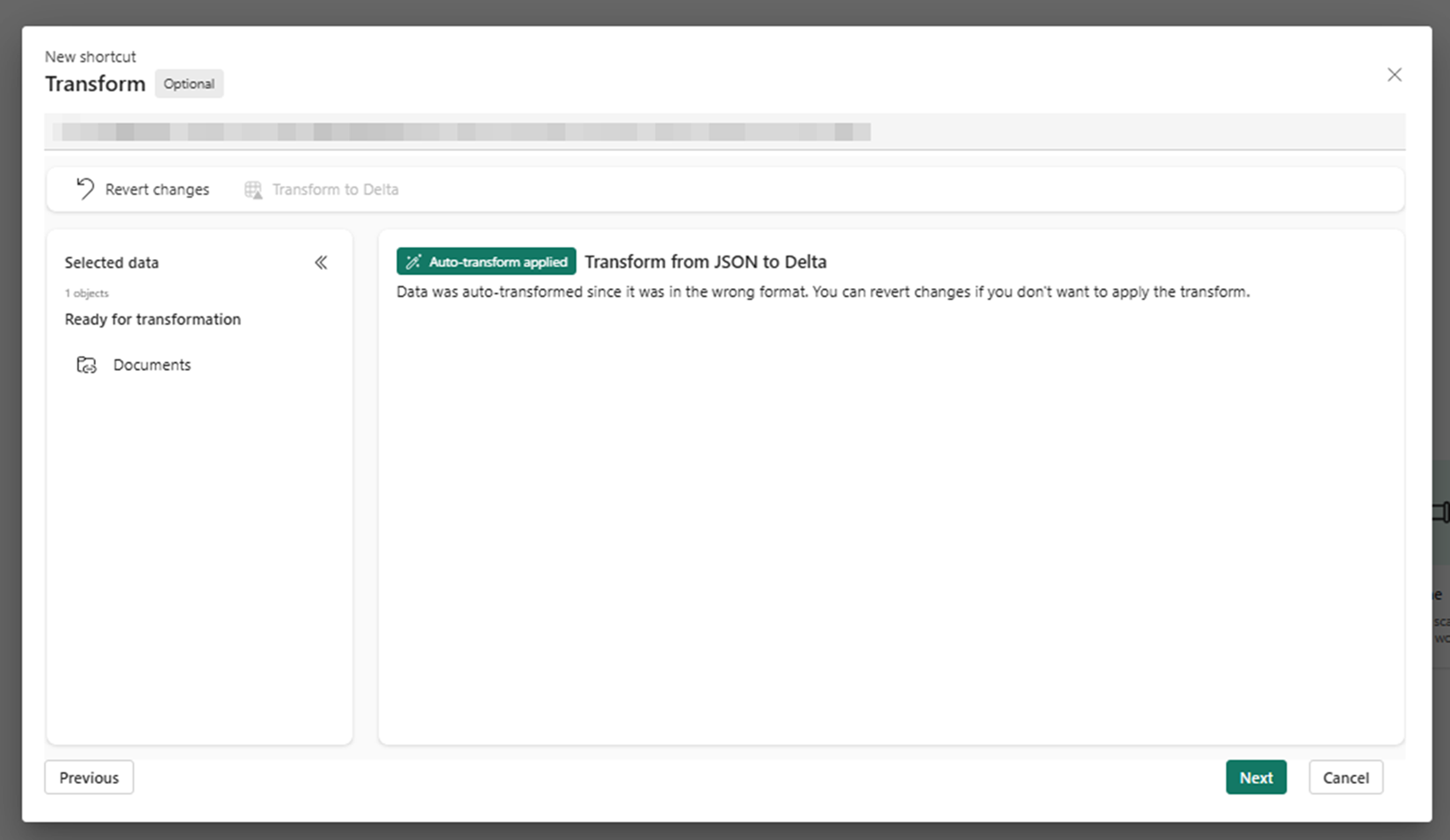
- Confirm creating a shortcut. It will not prompt you list of all your files, but will take current list.
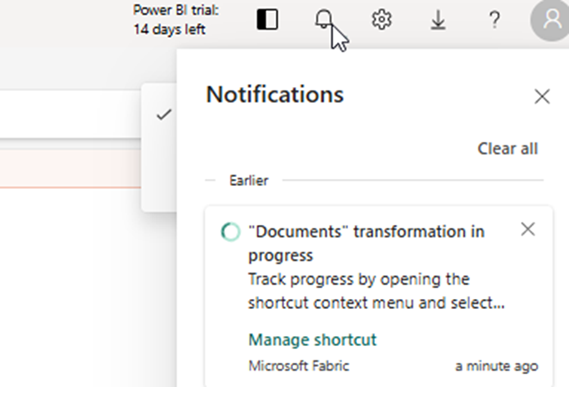
- Even if the popup window says it’s successful, it will take time for Fabric to convert the document into delta table. You can track the progress in upper notification window. During this time the file will not be accessible as a table.
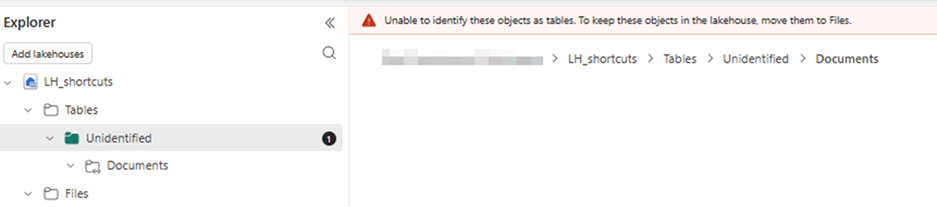
- Grab a coffee – after some time your Delta table is ready and shown as a shortcut
 Interestingly the table is partitioned by the filename (below a case of a table with 2 files sharing the same schema)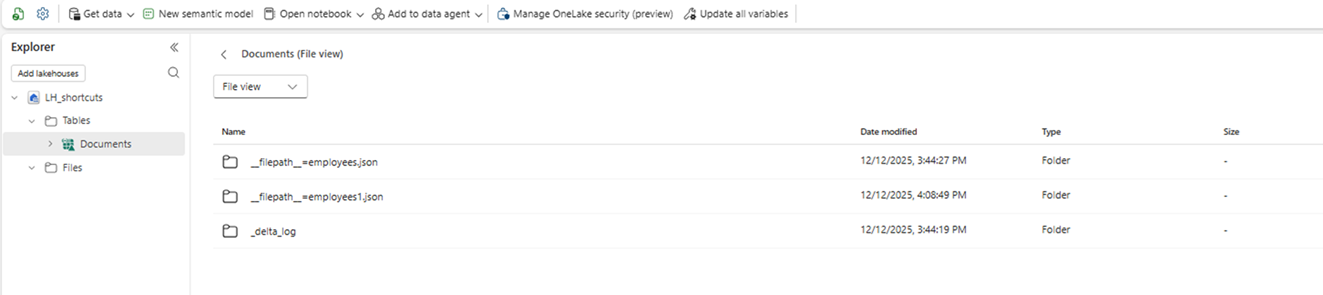
- You can monitor the progress of refreshes via nice „Manage Shortcut” option.
A Few Things to Keep in Mind
It’s not all rainbows and unicorns – there are some catches:
- Frequent refresh – Fabric checks the shortcut every 2 minutes and synchronizes any changes almost immediately. It’s close to real-time
- Flattening depth in JSON – Nested structures are flattened up to five levels deep
- Region availability – not rolled out everywhere yet, check if your region is supported
- File size – works best for small to medium files, massive dumps might still need custom Spark jobs
- Schema changes – if your JSON structure changes often, you might run into issues
- Unified schema – all files must share same schema. If the files differ in schema, the random file schema is being picked up
- Preview feature – still in preview, so expect some rough edges; there is a bunch of limitations as of now (check the Microsoft link below to see the latest)
Old Way vs New Way
Old way: Spin up a notebook, write Spark code to read JSON, wrestle with schema inference, handle edge cases, write to Delta. Rinse and repeat.
The new way: Create a shortcut with transformation enabled → boom, Delta table ready to query.
Why You’ll Love This
Perfect for IoT streams, API dumps, or any scenario where raw files just keep showing up. You get all the Delta goodness (ACID, time travel, the works) without writing boilerplate code.
Less plumbing, more actual work getting done. 
 Full docs: Microsoft Learn – Shortcut Transformations
Tried it yet? Let me know how it went 